| Support Category: Course Completion Issue |
| Specialist Notes: |
Users completing the Standard Challenge must successfully complete all missions for the training to register as complete. Please note that progressing to the next mission does not automatically mark the previous mission as complete.
A mission is considered complete only when:
- All required activities/questions are answered correctly.
- The corresponding Tool Status (sticker/badge) is earned.
- All post mission sections/tabs are reviewed.
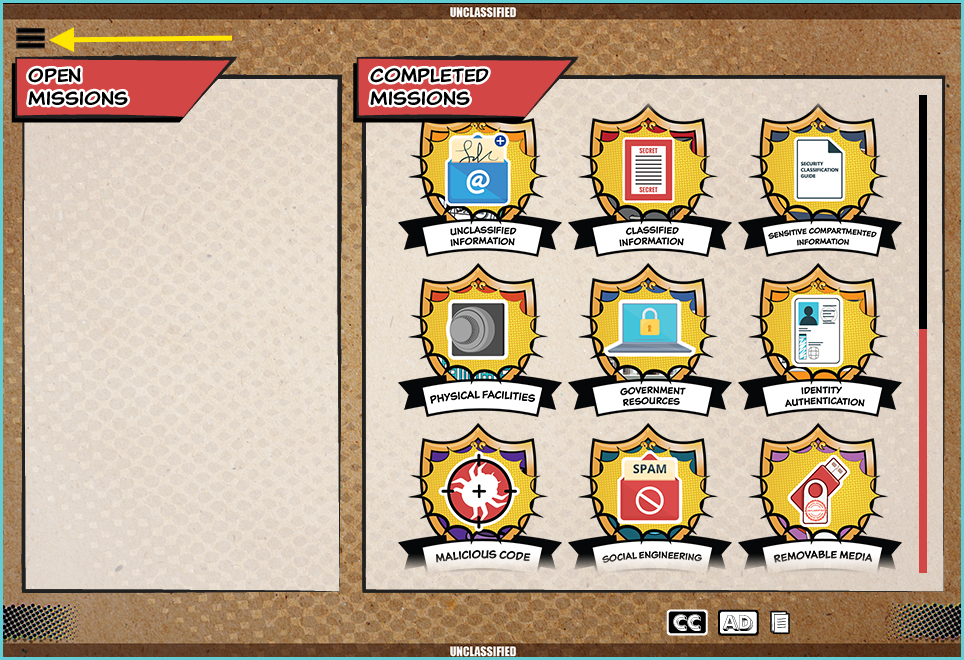
- The mission moves to the Completed Missions section.
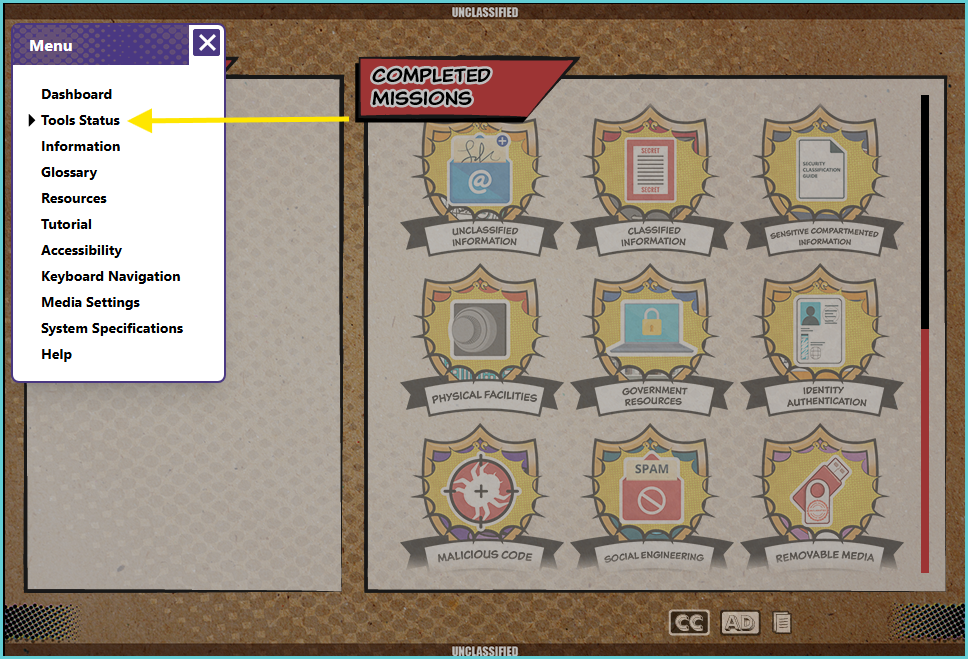
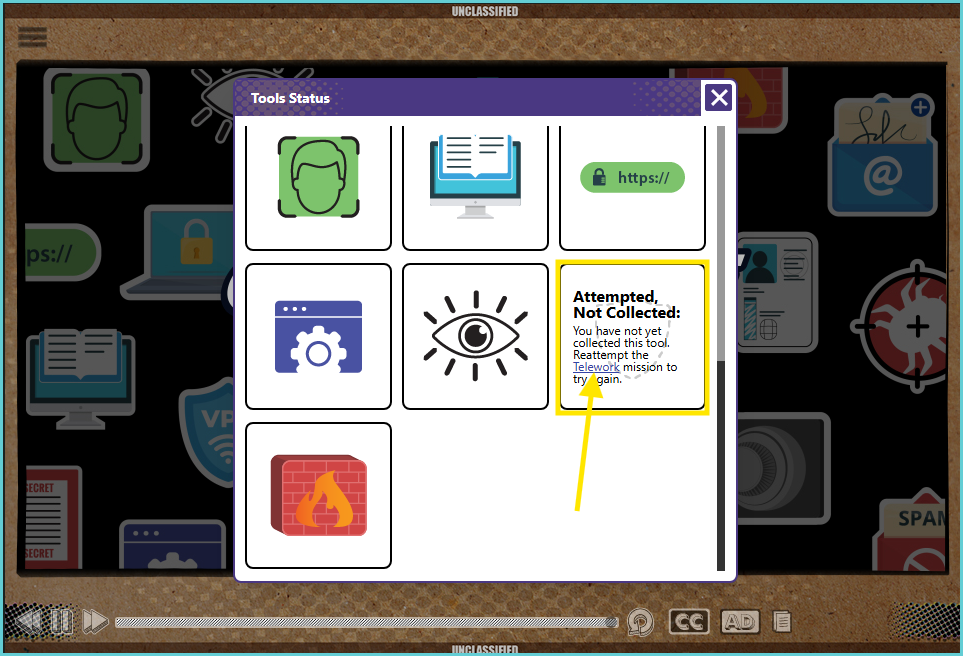
The Users can verify their earned Tool Statuses by selecting the Hamburger Menu > Tools Status
If Tool Status badges are missing, users should navigate to the associated mission from the Dashboard or by selecting the missing Tool Status box, clicking the hyperlink, and successfully completing the mission.
Note: If the user confirms that all missions have been completed and all Tool Status stickers have been obtained, please perform the usual troubleshooting steps. Additionally, request proof of completion, which should resemble the screen/page shown below: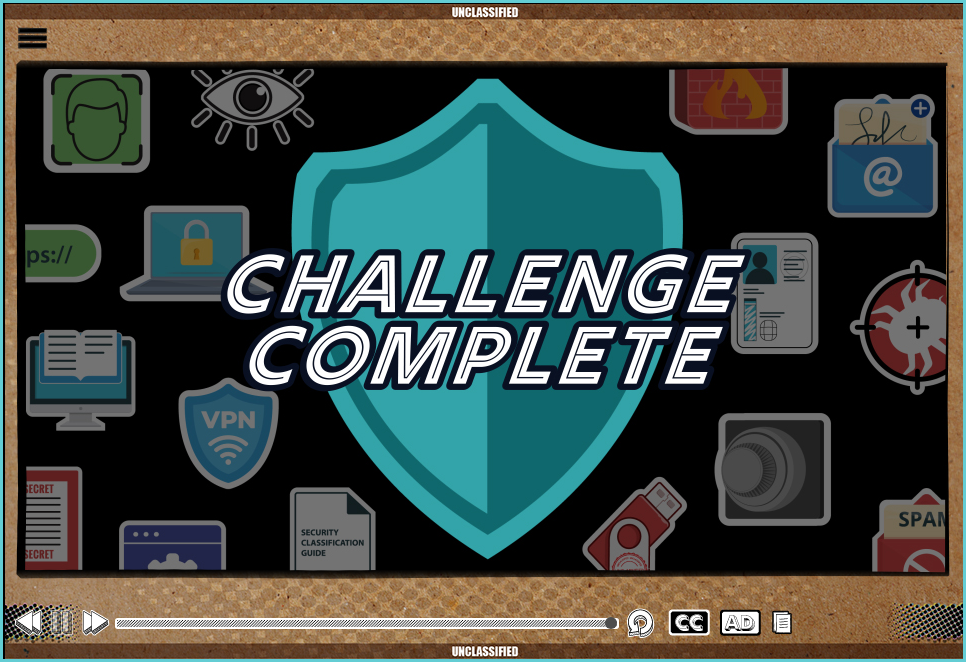
| Standard Response: |
